|
For the latest stable version, please use Unifly Services v4.8! |
Send Telemetry Example using MQTT Explorer
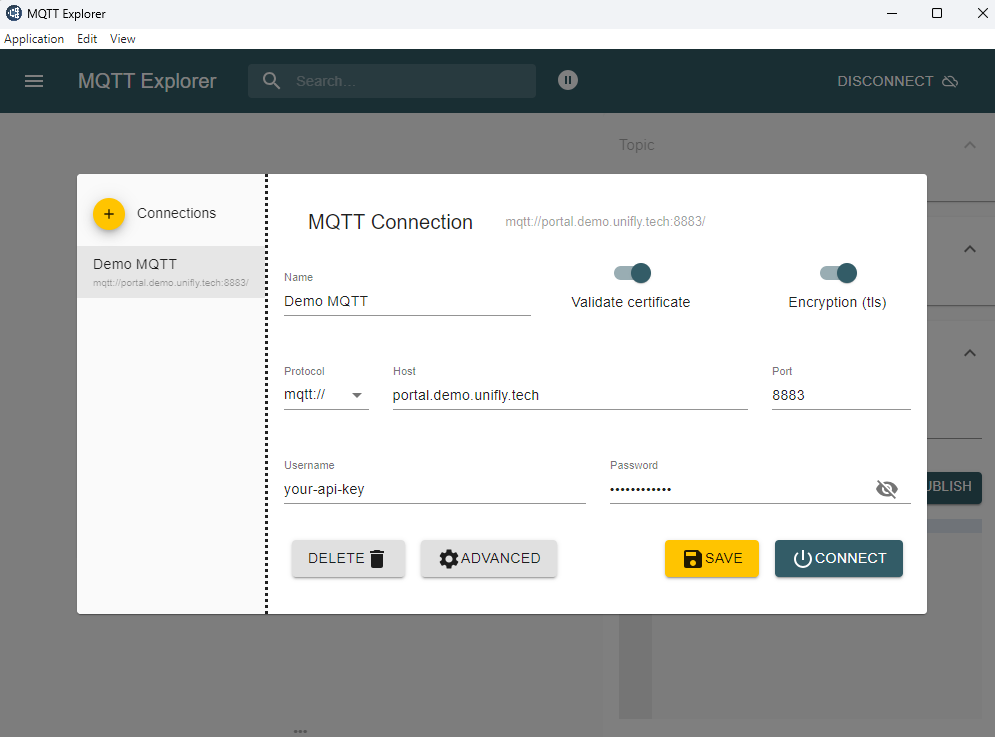
MQTT Connection Settings
Host: portal.demo.unifly.tech
Port: 8883
Protocol: MQTT v5.0
SSL/TLS: Enabled
Username: your-api-key
Password: your-api-key
|
Setup in MQTT Explorer
-
Create New Connection:
-
Click "Connections" → "Add Connection"
-
Enter the connection details as shown above
-
Enable SSL/TLS
-
Use API key for both username and password
-
-
Subscribe to Response Topics:
-
tracking/nearby/{companyUid}/{serialNumber}/#- nearby traffic -
alerts/nearby/{companyUid}/{serialNumber}/#- relevant alerts -
operations/{operationId}/instructions/#- receive instructions -
geofences/#- geofence updates
-
-
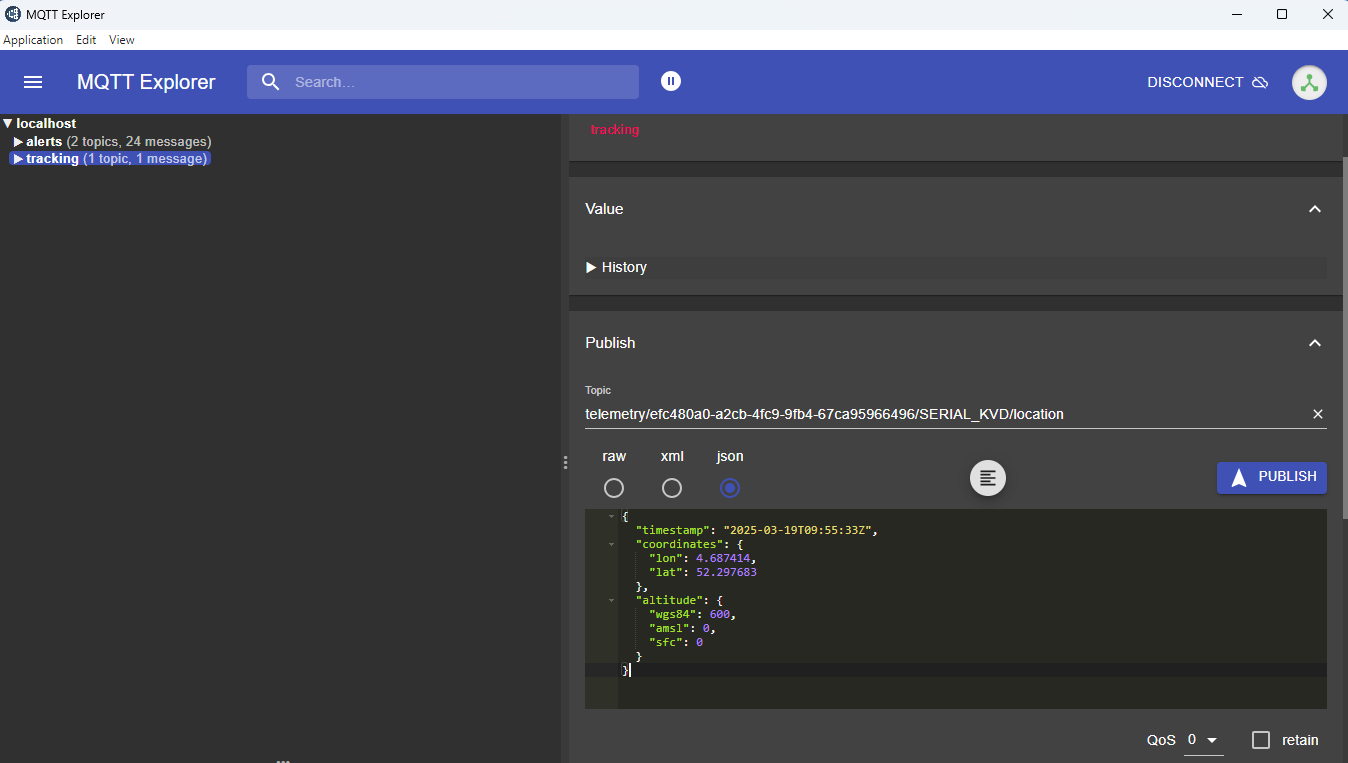
Publish Messages:
-
Enter the appropriate topic
-
Paste the JSON payload
-
Set QoS 1 ("at least once"): Guaranteed delivery but might have duplicates
-
Click "Publish"
-
|
|
Common issues and solutions:
|
Topics for Publishing
Location Updates
Topic: telemetry/{companyUid}/{serialNumber}/location
API Documentation: sendTelemetryLocation Operation
Example payload:
{
  "timestamp": "2024-11-26T13:15:33Z",
  "coordinates": {
    "lon": 4.687414,
    "lat": 52.297683
  },
  "altitude": {
    "wgs84": 600,
    "amsl": 0,
    "sfc": 0
  }
}
Heading Updates
Topic: telemetry/{companyUid}/{serialNumber}/heading
API Documentation: sendTelemetryHeading Operation
Example payload:
{
  "timestamp": "2024-01-23T10:00:00Z",
  "true": 180.5,
  "magnetic": 182.3
}
Velocity Updates
Topic: telemetry/{companyUid}/{serialNumber}/velocity
API Documentation: sendTelemetryVelocity Operation
Example payload:
{
  "timestamp": "2024-01-23T10:00:00Z",
  "groundSpeed": 5.2
}
Emergency Status
Topic: telemetry/{companyUid}/{serialNumber}/emergencyStatus
API Documentation: sendTelemetryEmergencyStatus Operation
Example payload:
{
  "timestamp": "2024-01-23T10:00:00Z",
  "emergencyStatus": ["LOSS_OF_GPS"]
}
Subscription Topics
Nearby Traffic Information
Topic: tracking/nearby/{companyUid}/{serialNumber}/{trackId}
API Documentation: receiveNearbyTracking Operation
Operation Instructions
Topic: operations/{operationId}/instructions/{instructionId}
API Documentation: receiveOperationInstructions Operation